



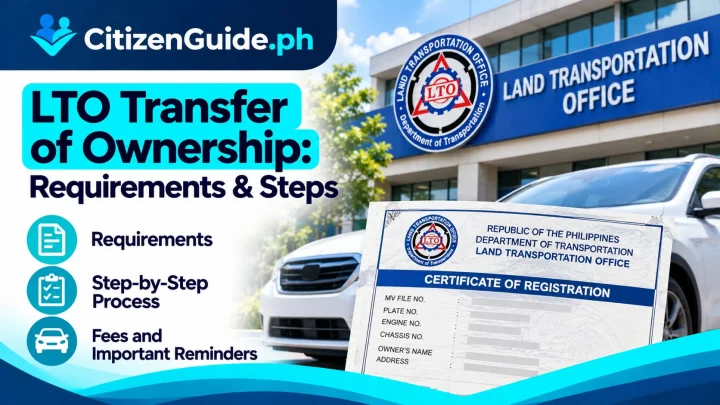


Motor vehicle registration must be renewed so the vehicle remains properly registered for the current period. The LTO’s current Citizen’s Charter provides both office-based processing and online renewal through the LTMS Portal for eligible transactions.
Before you renew
Check the registration schedule associated with your plate number and confirm that your vehicle record is eligible for ordinary renewal. Vehicles with special classifications, record discrepancies, ownership issues, or other restrictions may need a different workflow.
Standard requirements
- OR/CR copy when required for the transaction.
- Valid insurance Certificate of Cover transmitted/validated through the accepted system.
- Required motor vehicle inspection result, including electronic transmission where applicable.
- Other documents required for special vehicle types or record conditions.
Step-by-step renewal
- Check your vehicle registration record. Confirm plate details, ownership information, and renewal schedule.
- Secure the required insurance. Use an insurer and Certificate of Cover accepted for LTO registration purposes.
- Complete the required inspection. Follow the current LTO rule for the inspection facility that applies to your vehicle.
- Use LTMS when eligible. The LTO Citizen’s Charter lists LTMS Portal as a channel for online renewal.
- Review the assessment. Check the vehicle information, applicable fees, and any penalty before payment.
- Pay through the official channel. Keep the electronic or printed transaction record.
- Confirm the updated registration. Make sure the renewal is properly reflected before considering the transaction complete.
What can block online renewal?
Online renewal can depend on successful electronic validation of insurance, inspection, and the vehicle record. If the system cannot match or validate a requirement, you may need to follow the instructions shown by LTMS or visit the appropriate LTO office.
Common mistakes
- Waiting until after the renewal schedule and incurring penalties.
- Using an inspection or insurance record that is not properly transmitted.
- Assuming an online payment is enough without confirming the registration status.
- Ignoring errors in the vehicle record.
Official sources
Before you start the renewal transaction
Check that the vehicle details on your available registration records are consistent before paying or starting another transaction. Keep the current insurance and inspection references together and make sure any required electronic records can be validated by the LTO system. If the portal or an LTO office shows a mismatch, hold off on creating repeated renewal attempts and resolve the underlying vehicle-record issue first. Saving the official receipt, inspection reference, insurance confirmation, and renewal transaction details in one place also makes it easier to verify the registration status afterward or explain a record problem if follow-up is required.
Before renewal: separate a normal renewal from a record or ownership problem
A standard renewal is straightforward only when the vehicle record, ownership information, required inspections/insurance, and identifiers are consistent. Resolve unusual record conditions first instead of repeatedly attempting the same renewal transaction.
| Your situation | What to verify |
|---|---|
| Vehicle and owner record are current | Proceed with the ordinary renewal requirements that apply to the vehicle. |
| Ownership recently changed | Confirm whether the transfer has been completed in the LTO record before renewing under the old owner details. |
| Engine/chassis or other record details do not match documents | Resolve the discrepancy before relying on a routine renewal path. |
| The vehicle has penalties, an old registration gap, or another special condition | Ask LTO what additional assessment or process applies to that exact case. |
After payment: verify the renewed record, not just the receipt
Keep the official transaction/payment proof and check that the updated registration details correspond to the correct vehicle and owner record. If something is inconsistent, address it while the renewal transaction can still be traced easily.
Related transaction: If the vehicle was sold or acquired and the registered owner must change, use the LTO transfer of ownership guide rather than renewing under the previous owner.