


How to Register as a PhilHealth Member in the Philippines guide cover
Independent guide cover • always verify with the official agency
Philippine Government Guide

How to Register as a PhilHealth Member in the Philippines

A step-by-step PhilHealth membership registration guide explaining PMRF, PIN issuance, employer vs. informal-economy registration, MDR, and official portals.

Government agencyPhilippine Health Insurance Corporation (PhilHealth)
FeesMember registration itself does not use a separate application fee; premium contribution rules depend on membership category
ProcessingDepends on membership category, completeness of the PMRF/supporting records, employer or PhilHealth office processing, and any data-verification issue
Last verifiedSeptember 30, 2026
Before you transact: Government requirements, fees, schedules, and online systems can change. Use this guide to prepare, then confirm critical details with the official agency source.
Before you start

Preparation checklist

Tick items as you prepare. Your progress is saved only on this device.

PhilHealth registration creates or updates the membership record connected to a PhilHealth Identification Number (PIN). Your PIN is intended to be your unique and permanent PhilHealth number, so the first step is to determine whether you already have one before attempting a new enrollment.

First: check whether you already have a PhilHealth PIN

If you were previously employed, registered by a parent/employer, enrolled under another membership category, or completed a PhilHealth transaction before, you may already have a PIN. Do not intentionally create a second membership record. If the issue is incorrect or outdated information, use the appropriate updating/amendment process instead of starting over.

If you are newly employed and do not have a PIN

PhilHealth’s formal-economy registration procedure instructs newly hired employees without a PIN to accomplish two copies of the PhilHealth Member Registration Form (PMRF), submit the PMRF to the employer’s HR department, and await the Member Data Record (MDR) and PhilHealth ID handling through the employer process.

If you are self-paying or under the informal economy

PhilHealth’s published informal-economy procedure directs members to visit a Local Health Insurance Office (LHIO) or PhilHealth Express outlet, accomplish two copies of the PMRF, submit the form, await the MDR/ID information, and then follow the applicable premium-contribution schedule using the issued PhilHealth number.

Information to prepare for the PMRF

  • Complete personal information and contact details requested by the current PMRF.
  • Membership category and employment/income information applicable to you.
  • Qualified dependent information when applicable.
  • Supporting documents required for your category or for any declaration/update you are making.
  • Existing PIN, if you already have one and are updating rather than enrolling.

Step-by-step registration

  1. Determine your membership category. Formal-economy employees, informal/self-paying members, migrant workers, lifetime members, senior citizens, sponsored members, and other groups can have different processing routes.
  2. Download the current PMRF. Use the official PhilHealth Downloads page or obtain the form from an authorized PhilHealth office.
  3. Complete the form carefully. Use accurate civil-status, address, contact, membership-category, and dependent information.
  4. Submit through the correct channel. Newly hired employees without a PIN generally coordinate with HR; informal/self-paying members follow the LHIO/PhilHealth Express procedure.
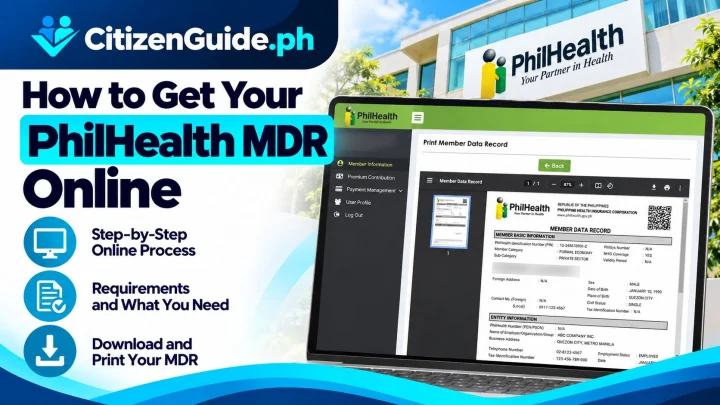
  5. Keep your PIN and Member Data Record. Check the spelling of your name, birth details, membership category, and dependents.
  6. Follow the applicable contribution instructions. Contribution responsibility and payment schedules depend on your membership category.
  7. Use official online services after registration. PhilHealth’s Online Services page links to member services for records, contributions, MDR access, and other functions.

If you need to update your information instead

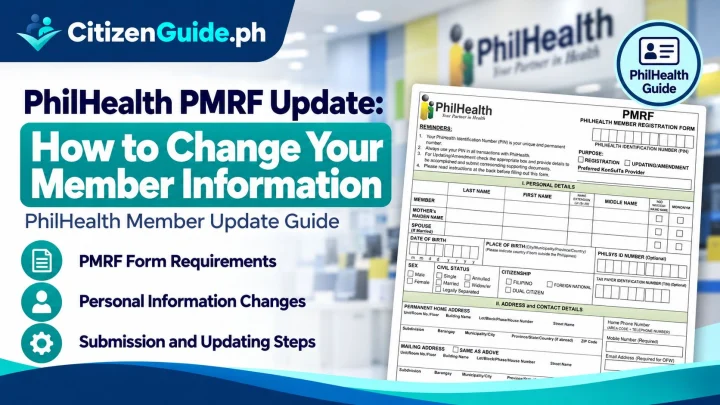
PhilHealth’s amendment procedure for informal-economy members instructs members to download the PMRF, tick “FOR UPDATING,” complete the appropriate fields, submit the form to the nearest PhilHealth office, and await the updated MDR. Follow the current procedure for your own membership category.

After registration: check these details

  • Your PhilHealth Identification Number (PIN).
  • Your full name and birth details.
  • Your membership category.
  • Your declared qualified dependents, when applicable.
  • Your Member Data Record and contribution status.

Security reminder

Use only the official philhealth.gov.ph domain and links reached from it for member services. Be cautious with websites, social-media pages, or messages that ask for your PIN, password, one-time PIN, ID images, or payment outside an official PhilHealth channel.

Official sources

CitizenGuide practical notes

Useful details before you continue

A PhilHealth PIN is intended to be permanent. Changing jobs or membership category normally requires updating the existing record, not creating another PIN.

Employees and self-paying/informal-economy members can have different submission workflows, so use the channel for your actual category.

Check the MDR after registration or updating because benefit verification relies on the member/dependent information in the source record.

Troubleshooting

If something goes wrong

Start with the closest issue below before creating another application or account.

I think I already have a PhilHealth PIN

Use the official member inquiry/support process to verify the old record before submitting a new registration and risking a duplicate membership.

My membership category or employer changed

Update the existing PhilHealth record using the correct PMRF/update process for your current situation instead of creating a new PIN.

My MDR contains an incorrect or outdated detail

Submit the appropriate record-update request with supporting documents, then obtain/review the updated MDR.

Frequently asked questions

Quick answers about this process

How does a newly hired employee without a PhilHealth PIN register?

PhilHealth’s formal-economy procedure directs the employee to complete two PMRF copies and submit them through the employer’s HR department.

Where can self-paying members register?

PhilHealth’s informal-economy procedure directs members to Local Health Insurance Offices or PhilHealth Express outlets with the completed PMRF.

What can I do in the PhilHealth Member Portal?

PhilHealth lists access to records, contributions, MDR viewing/printing, online premium payment, and selected member services in the official Member Portal.

What if I already have a PhilHealth PIN?

Do not intentionally create another PhilHealth membership record. Your PIN is intended to be unique and permanent. Use the appropriate update or amendment process if your existing record needs correction.

Where do informal or self-paying members submit the PMRF?

PhilHealth’s published informal-economy procedure directs members to a Local Health Insurance Office or PhilHealth Express outlet, subject to the current PhilHealth process.

Sources checked

Official references used for this guide

Last checked September 30, 2026.

Editorial maintenance

What changed in this guide

Maintained by the CitizenGuide Editorial Team.

Added duplicate-PIN prevention, membership-category routing, MDR review, and member-record update troubleshooting.

Official verification

Finish through the official government channel

CitizenGuide.ph explains the process, but we do not accept government applications or payments. Use the responsible agency's official website for the final transaction.

Open official source ↗