







The Philippine National ID system provides a foundational identity record for registered persons. Current PSA guidance directs applicants to registration centers with supporting documents, where demographic information is validated and biometric information is captured.
Where to register
The PSA lists National ID registration centers such as:
- Fixed registration centers at PSA regional and provincial offices.
- Mall-based registration centers.
- LGU-based registration centers.
- Mobile registration activities in selected areas.
Check the official National ID registration process before visiting because active locations can change.
Documents to bring
For Filipino citizens, PSA encourages primary supporting documents such as:
- PSA-issued Certificate of Live Birth together with a government-issued ID bearing the required identifying information.
- Philippine Passport or ePassport.
- UMID issued by GSIS or SSS.
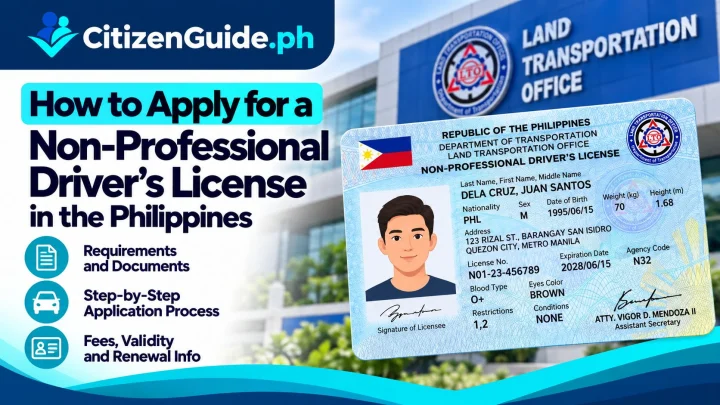
- LTO Student’s Permit or non-professional/professional driver’s license.
If you do not have a primary document, the PSA maintains a longer list of accepted secondary supporting documents. Review the official supporting-documents page rather than assuming a particular ID will be accepted.
Step-by-step National ID registration
- Find an active registration center. Use official PSA/National ID information rather than relying on an old social-media post.
- Bring your supporting documents. The Registration Kit Operator will check the documents you present.
- Have your demographic information validated. Carefully review your name, birth details, address, and other information.
- Complete biometric capture. PSA’s registration process includes fingerprint, iris scan, and front-facing image capture.
- Review and confirm your information. Correct an error before final confirmation whenever the registration process allows it.
- Keep the transaction slip. The PSA issues a transaction slip containing your Transaction Reference Number (TRN). Store this securely because it can be used for tracking and other National ID services.
Digital National ID
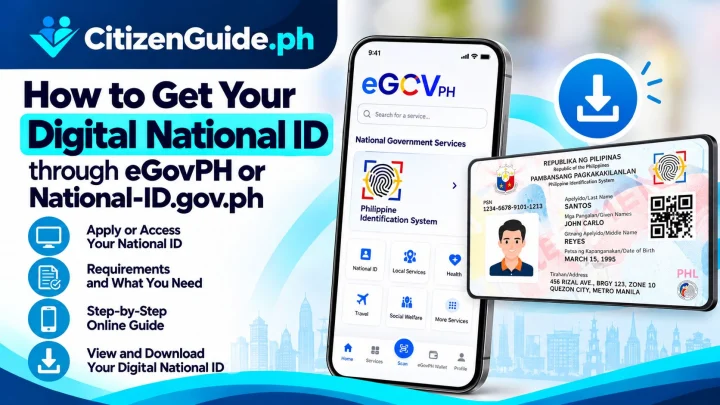
The government also provides access to a Digital National ID through official channels. The National ID website currently directs users to register and get verified through the eGovPH app for Digital National ID access. Only use official government apps and websites for this process.
Protect your identity data
- Do not post your TRN, QR code, or full National ID details publicly.
- Do not pay a fixer promising faster ID delivery.
- Use official verification tools when a relying party needs to validate a National ID.
- Report suspicious requests for your biometrics or QR code to the appropriate authority.
Official sources
CitizenGuide.ph does not register people in the National ID system or have access to National ID records.
Which National ID format should you use?
The National ID system now has more than one official format. The best option depends on whether you are still registering, already registered, or need an ID you can present immediately for a transaction.
| Situation | Best starting point | What to know |
|---|---|---|
| You have not registered yet | Register at an active National ID registration center | Bring an accepted supporting document, complete demographic validation and biometrics, then keep the transaction slip and TRN. |
| You are already registered and need an ID on your phone | Digital National ID through the official eGovPH app | Use only the official government app and protect the QR code and account access. |
| You are already registered and need a paper format | Ask an official registration center about the National ID in paper format | PSA states the paper format can be claimed free of charge and includes a QR code for authentication. |
| An office wants to verify your ID | Use the official National ID verification channel | The QR code on an official National ID format can be checked through the government verification service. |
Before you leave the registration center
Read the demographic details shown to you before final confirmation. Check the spelling and order of your name, date and place of birth, sex, address, and other information against the documents you presented. PSA’s registration process specifically includes a review-and-confirm step before the transaction slip is issued.
Keep the transaction slip containing your Transaction Reference Number (TRN). The official registration guide says the TRN can be used for delivery tracking and for services related to the National ID in paper format. Treat the TRN as private account information rather than posting a photo of the slip online.
When your National ID information needs correction
Do not register a second time just because a demographic detail is wrong. National ID rules provide an updating process for registered persons. The documents needed depend on the field being corrected, so use the official National ID guidance or ask an authorized registration center which supporting record applies to your case.
For document discrepancies during first-time registration, PSA’s supporting-document guidance states that when an entry in a PSA-issued Certificate of Live Birth conflicts with the government ID presented, the birth-certificate entry prevails for the registration record.