




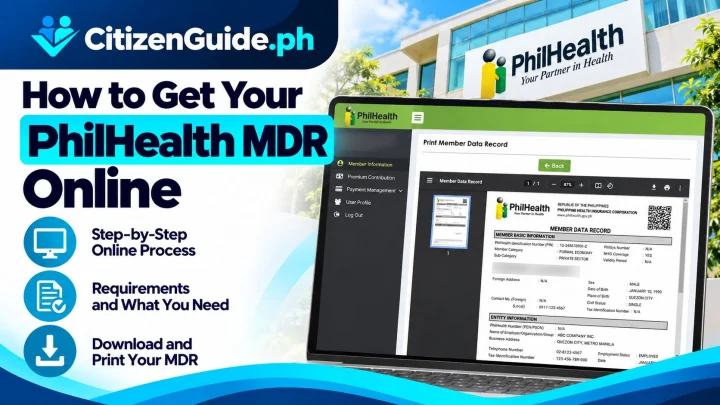






A PhilHealth ID is a member document used to identify a PhilHealth member in supported transactions. Current PhilHealth member-registration guidance states that members who complete registration can receive a Member Data Record (MDR) and PhilHealth ID Card as part of the membership process.
Before requesting the ID
You should already have a PhilHealth Identification Number (PIN) or be completing PhilHealth membership registration. If your name, civil status, birth details, or dependents are incorrect, update the member record first so the ID and MDR reflect the correct information.
Step 1: Prepare your PhilHealth member information
- PhilHealth Identification Number, if already registered.
- Valid government-issued ID accepted by the office.
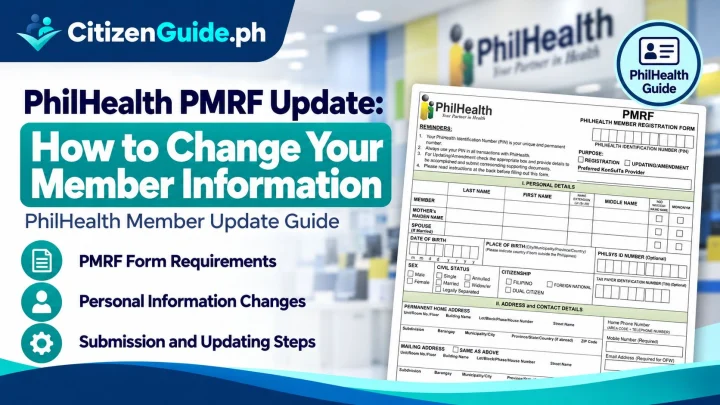
- PhilHealth Member Registration Form (PMRF) when registering or updating information.
- Supporting civil-registry or other documents if you are correcting personal details or dependents.
Step 2: Visit an official PhilHealth office or service point
Use the official PhilHealth office directory or member instructions to locate a Local Health Insurance Office or PhilHealth Express outlet that handles member transactions. Do not submit personal information to unofficial websites that copy the PhilHealth design.
Step 3: Register or verify the member record
If you are not yet registered, complete the PMRF process for your membership category. PhilHealth’s registration instructions for individual members direct applicants to submit the PMRF, await the MDR and PhilHealth ID Card, and use the assigned PhilHealth number for contribution and benefit transactions.
Step 4: Request or receive the PhilHealth ID
Once the member record is validated, follow the office procedure for ID issuance. Keep your MDR because it is also frequently requested as proof of member information and listed dependents.
If your PhilHealth information is wrong
Use a PMRF marked For Updating and submit the supporting documents required for the specific correction. PhilHealth instructs members updating data to submit the PMRF and await the updated MDR.
Protect your PhilHealth information
Your PIN and member record are personal information. PhilHealth issued a 2026 warning about fraudulent websites imitating official member portals. The official PhilHealth website is philhealth.gov.ph. Avoid entering PIN, ID, or personal data into look-alike domains.
Common mistakes to avoid
- Using an unofficial website or social-media “PhilHealth ID generator.”
- Requesting an ID before correcting a wrong name or birth detail.
- Throwing away the MDR after getting the ID.
- Posting the ID number publicly.
- Assuming the ID alone proves current contribution status for every benefit transaction.
Official sources
Do you need the ID card, the MDR, or a member-record update?
These are related but different needs. The card identifies the member, the MDR shows member information and dependents, and a PMRF/update transaction changes the underlying PhilHealth record.
| Your goal | Start with |
|---|---|
| You need proof of your current member details/dependents | Check whether the receiving office specifically asks for the MDR rather than only the ID card. |
| You want a PhilHealth ID after registration | Make sure the member record and PIN are already valid and correctly encoded. |
| Your name, civil status, or dependent list is wrong | Update the member record first; issuing another card will not correct the database. |
| You need proof of eligibility/contribution for a benefit | Do not assume the ID card alone proves the current benefit status; follow the requirement for that specific transaction. |
Before leaving the PhilHealth office or service point
Check the spelling of the name, PIN, and any member details shown in the issued documents. Keep the MDR or transaction acknowledgement because it can help identify a later discrepancy in the member record.
If someone offers an online “ID generator”
Do not upload your personal data or PIN to unofficial tools that promise an instant PhilHealth ID. Use the official PhilHealth channels and treat the underlying member record—not a downloadable image—as the authoritative source.