





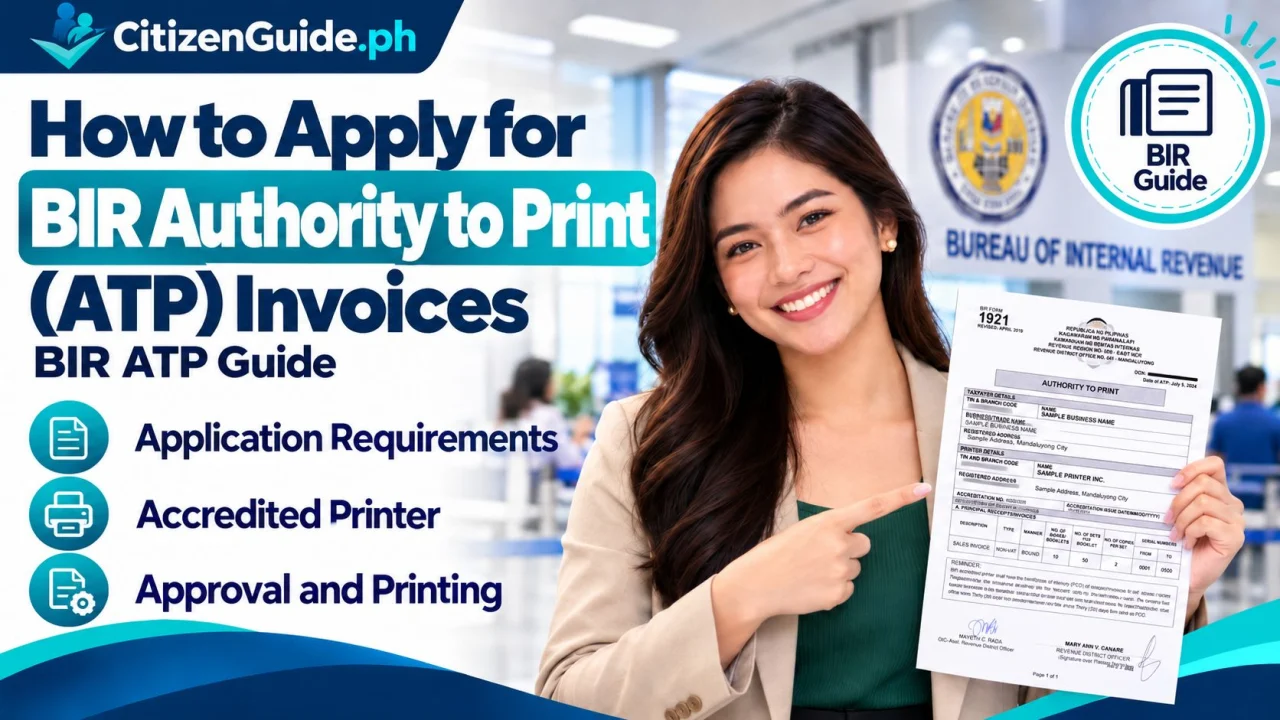
A BIR authority to print (ATP) is part of the invoicing compliance process for taxpayers who need printed registered invoices. Make sure your registration information and chosen printer details are consistent before filing.
A BIR Authority to Print (ATP) authorizes the printing of registered invoices through a BIR-accredited printer. It is commonly needed when a registered business chooses to have its own manual-bound or approved loose-leaf invoices printed instead of relying on BIR-printed invoices available under an applicable registration process.
Where to apply
The standard ATP application is filed with the Revenue District Office (RDO) where the Head Office is registered, or with the applicable Large Taxpayer registration office for large taxpayers.
Requirements for manual-bound invoices
BIR’s current Citizen’s Charter lists the following core requirements for a new or subsequent ATP application for manual-bound invoices:
- BIR Form No. 1906 — two originals for a manual application.
- A final clear sample of the taxpayer’s own invoice/supplementary invoice.
- A selected BIR-accredited printer that will print the invoices.
- For a subsequent application: the last issued ATP, Printer Certificate of Delivery (PCD), or an applicable booklet from the previous ATP as specified by BIR.
Additional requirement for manual loose-leaf invoices
For an ATP involving manual loose-leaf invoices, BIR’s checklist includes the applicable Permit to Use Loose-Leaf Invoices, together with Form 1906 and the final invoice sample. A subsequent application also requires the prior ATP as listed in the current checklist.
Step 1: Choose a BIR-accredited printer
Use the current BIR list of accredited printers. Coordinate the invoice layout with the printer, but remember that the taxpayer remains responsible for ensuring that the sample complies with BIR requirements.
Step 2: Prepare BIR Form 1906 and the final sample
Complete the current BIR Form No. 1906 and prepare the final clear sample of the invoice. Check the registered business name, TIN/branch code, address, invoice title, serial-number format, and other required information before submission.
Step 3: Submit the application to the correct RDO
Bring the complete documents to the RDO/registration office handling the head office. If an authorized representative files the application, prepare the required authority document and identification listed by BIR for an individual or non-individual taxpayer.
Step 4: Wait for evaluation and ATP generation
The BIR registration officer validates the taxpayer record and documentary requirements, assigns the transaction details, encodes and generates the ATP, and routes it for review/signature. The current Citizen’s Charter lists a 1-day total processing time for the standard service when the application is complete, although actual service can still be affected by transaction volume and system availability.
Step 5: Receive the ATP before printing
Receive the approved ATP and the taxpayer copy of Form 1906. Coordinate printing with the accredited printer only under the approved ATP. Keep the ATP and Printer Certificate of Delivery with the business records.
Is there a BIR processing fee?
The BIR Citizen’s Charter lists no processing fee for the ATP application itself. The business still pays the accredited printer for the actual invoice printing and may incur other private/incidental costs.
New business registrants: ATP may not always be necessary immediately
BIR’s current registration guidance notes that an ATP is not required as part of new-business registration when the taxpayer chooses to use a BIR Printed Invoice available through that registration process. If you want your own printed invoices, follow the ATP requirements that apply to the chosen setup.
Common mistakes to avoid
- Using a printer that is not currently BIR-accredited.
- Submitting a draft invoice sample that does not match the intended final layout.
- Applying at the wrong RDO.
- Forgetting the last ATP/PCD or prior booklet for a subsequent application.
- Printing commercial invoice booklets before the required ATP is approved.
Official sources
- BIR Citizen’s Charter — Authority to Print Invoices
- BIR Registration Requirements
- BIR Forms — Form No. 1906
New ATP, subsequent ATP, and loose-leaf setups are not the same application
Before filing Form 1906, identify why you need the Authority to Print. The supporting records can differ when this is the first printed series, a replacement/additional batch, or a loose-leaf setup.
| Your situation | What to prepare/check |
|---|---|
| First manual-bound invoice series | Prepare the final sample and use a BIR-accredited printer under the approved ATP process. |
| Subsequent/replacement printing | Gather the prior ATP, printer-delivery/previous-series records, and other documents required for continuity of the invoice series. |
| Loose-leaf invoices | Confirm the applicable Permit to Use Loose-Leaf setup and the ATP requirements for that configuration. |
| Business details changed | Update the taxpayer registration/printed particulars before ordering a new batch with outdated information. |
Before giving the printer the go-ahead
Compare the approved ATP with the final invoice layout, taxpayer name, address, registration details, invoice description/series, and printer information. Printing before the authority and layout are correct can create a larger compliance problem than waiting for the corrected approval.